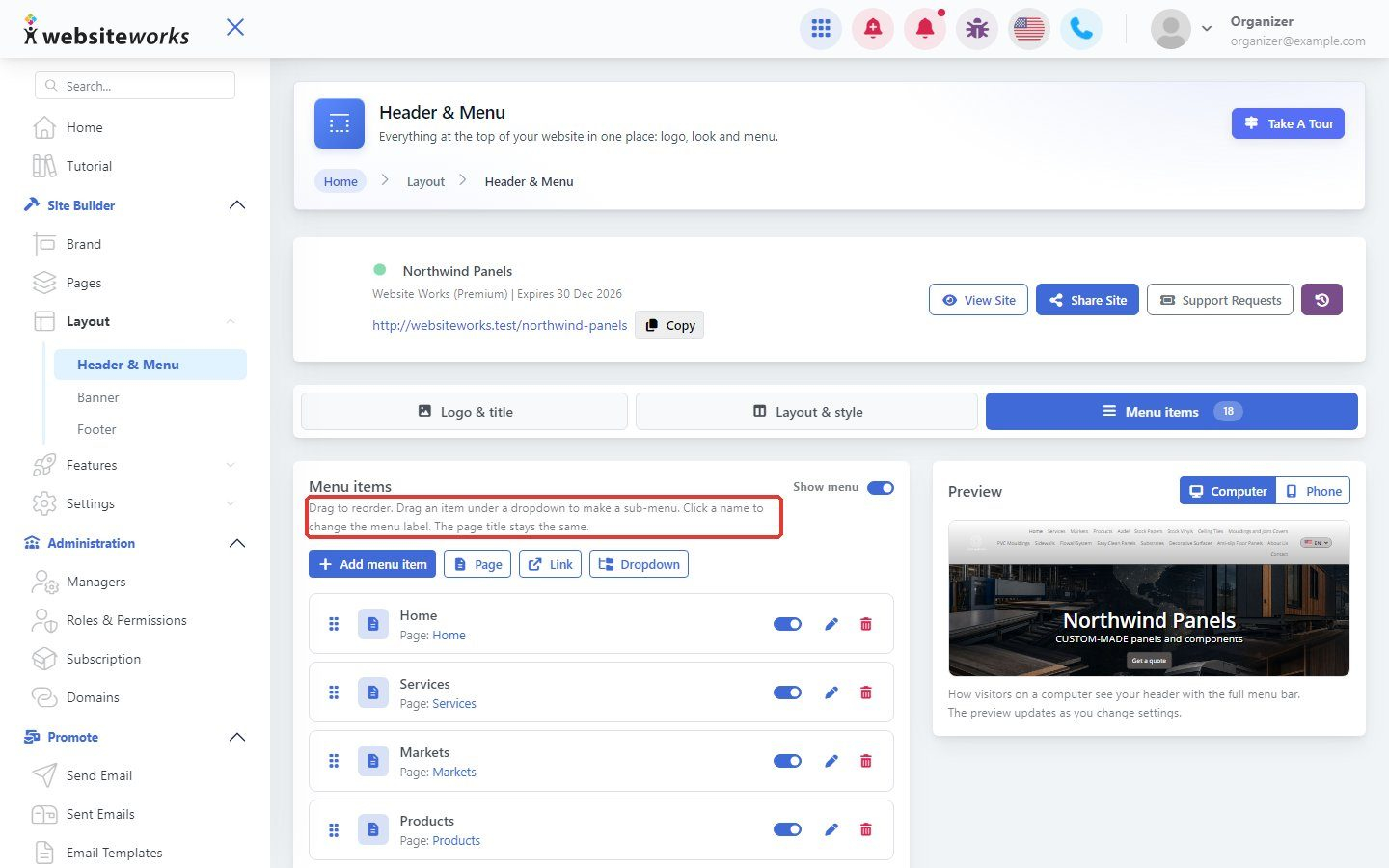

Your menu can link to your pages, to other websites, and can have dropdowns with sub-menus.
Step 1: Open Menu items
Go to Layout → Header & Menu and click the Menu items tab. Click Add menu item.
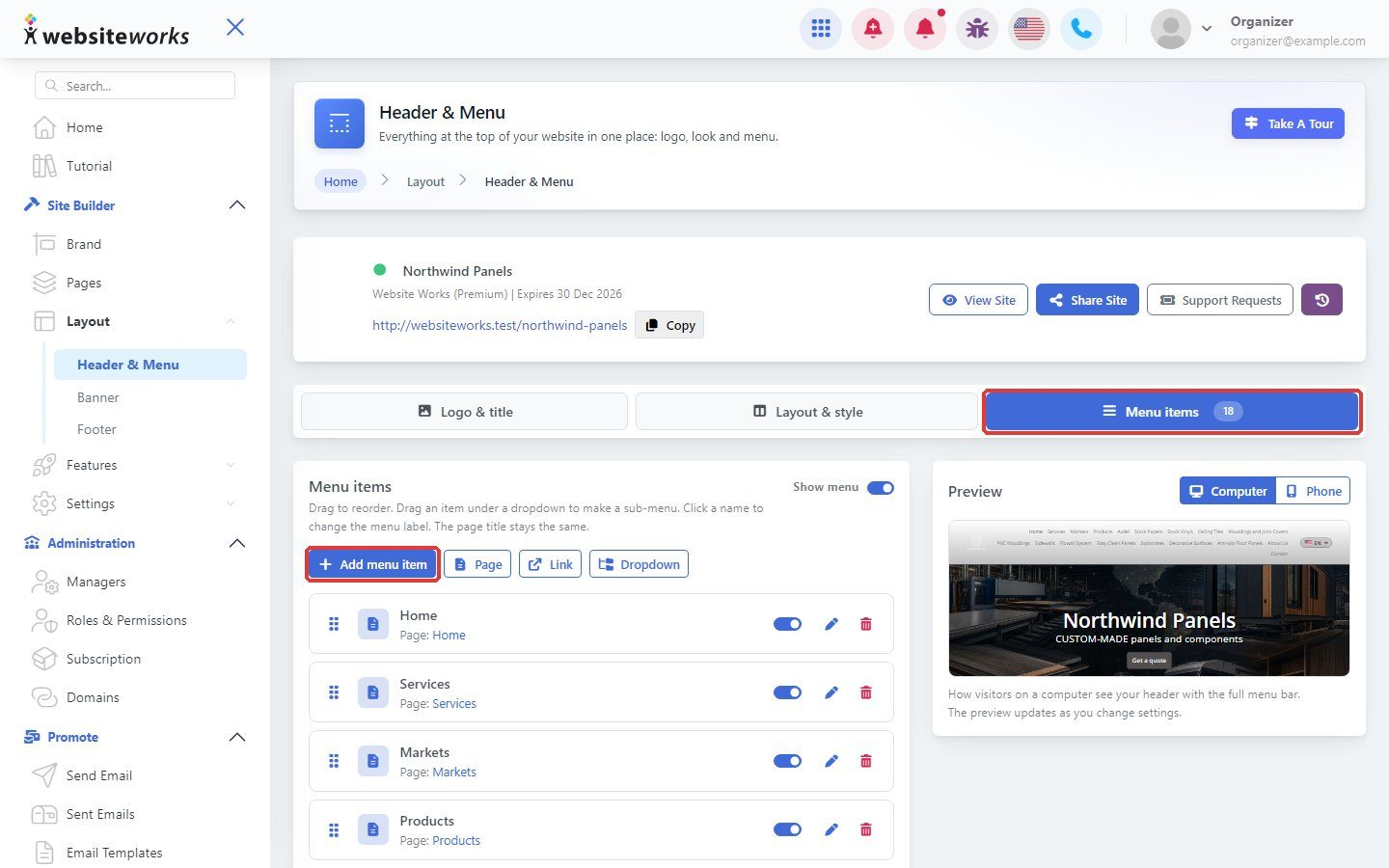
Step 2: Choose the type of item
In Add a menu item, choose:
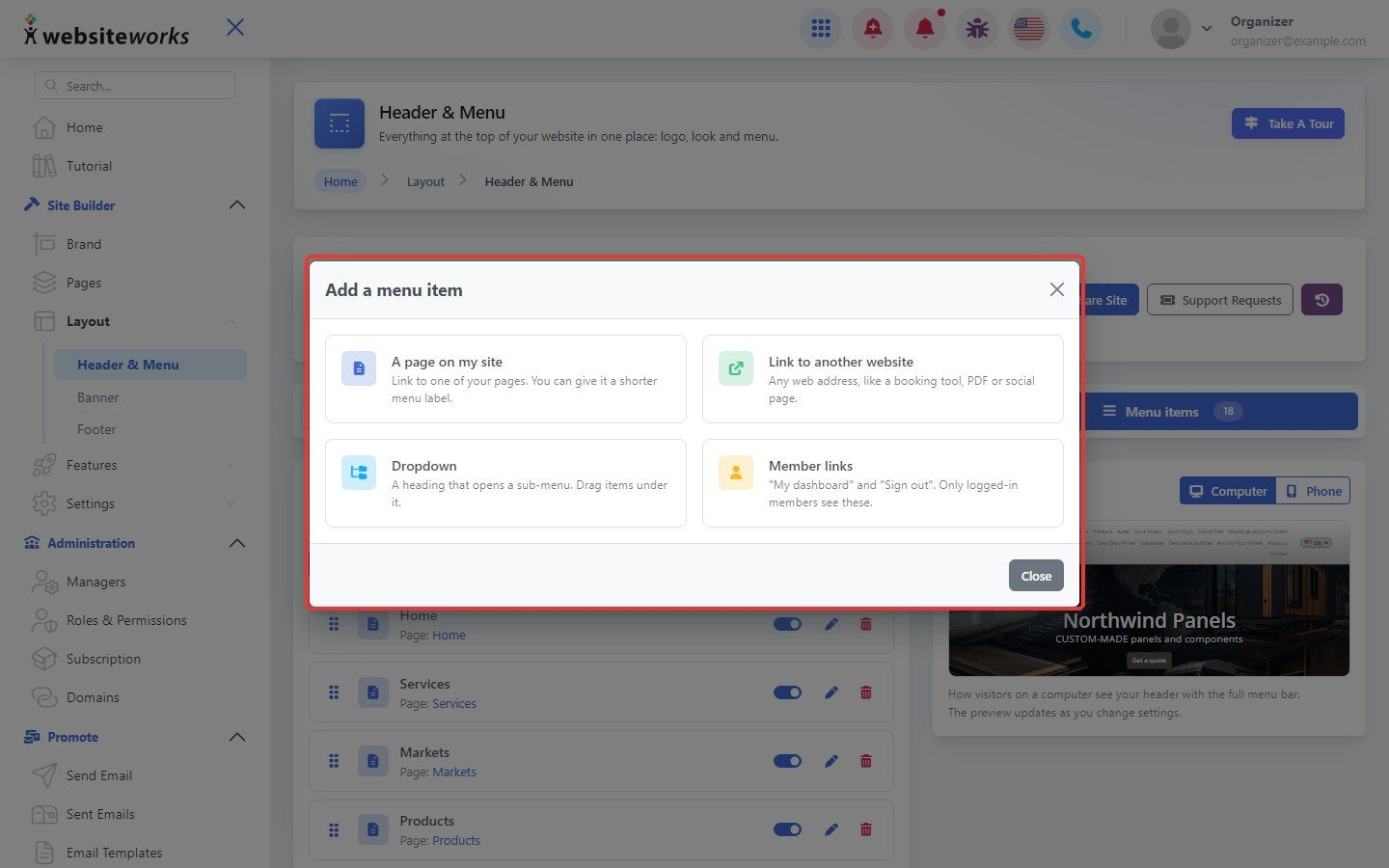
- A page on my site: link to one of your pages.
- Link to another website: any web address.
- Dropdown: a heading that opens a sub-menu.
- Member links: "My dashboard" and "Sign out", shown only to members.
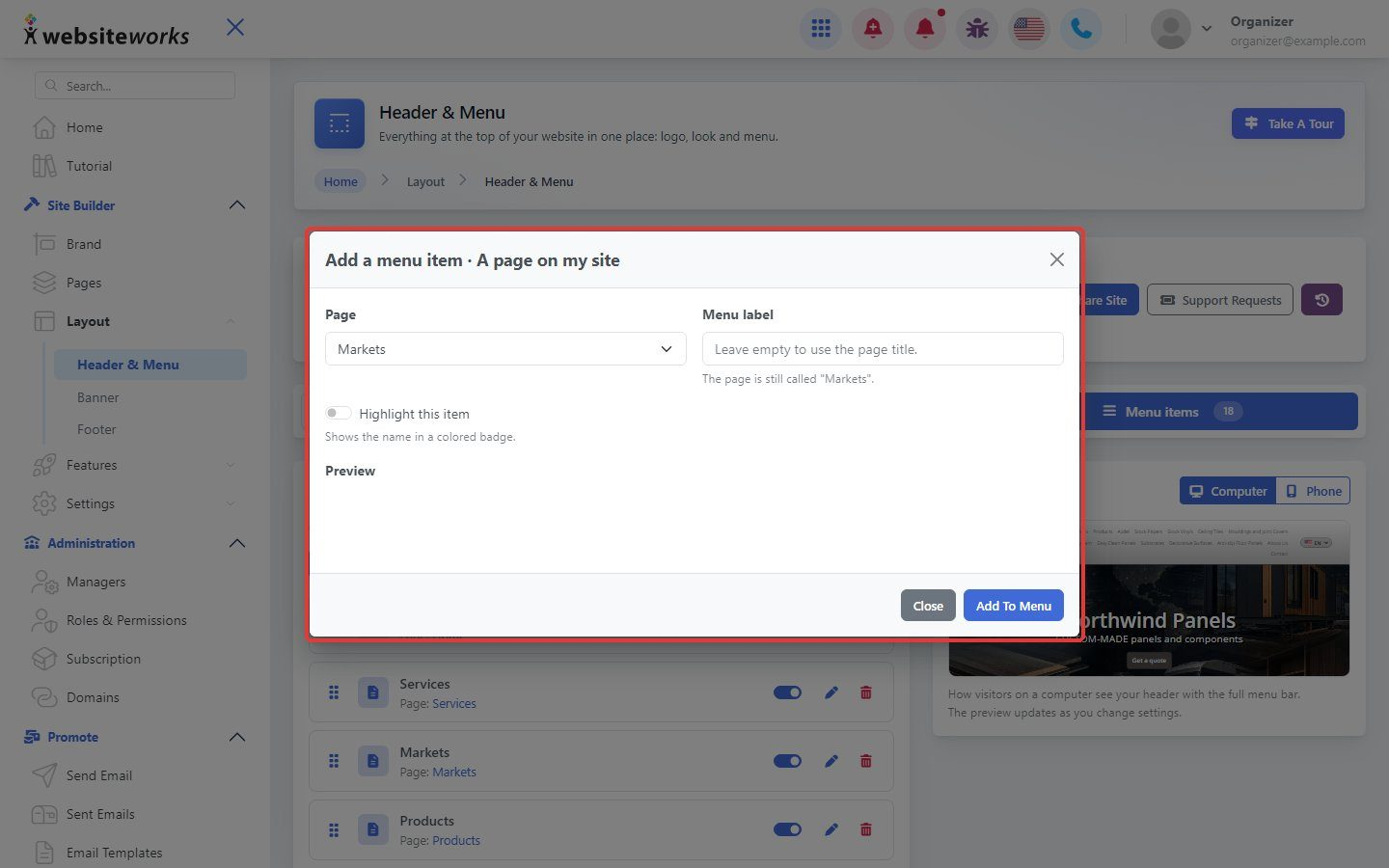
Step 3: Add a page
For A page on my site, choose the page and, if you like, a shorter menu label. Click Add To Menu.
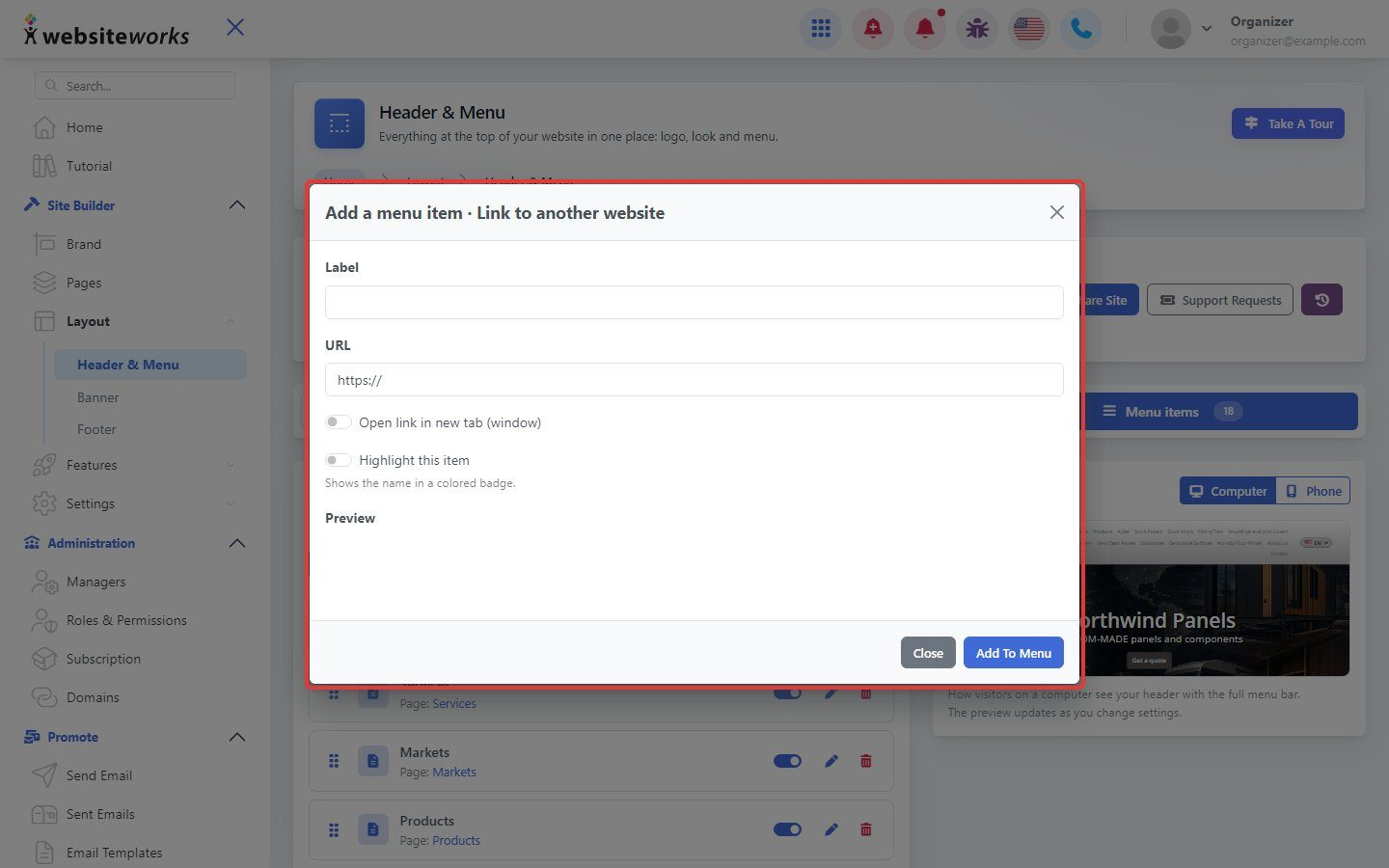
Step 4: Add a link
For Link to another website, enter the label and the web address. Click Add To Menu.
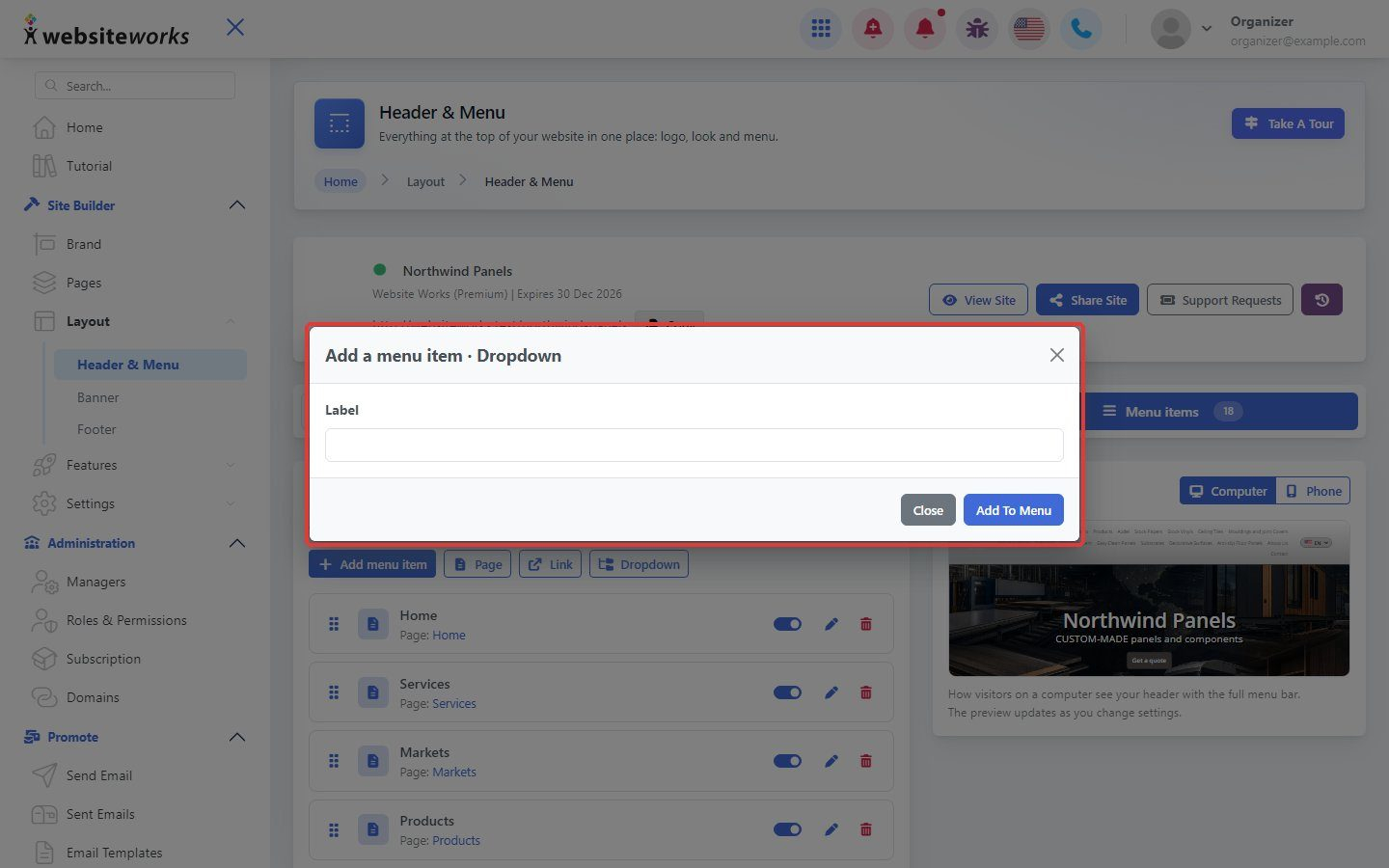
Step 5: Add a dropdown
For Dropdown, enter its label and click Add To Menu.
Step 6: Build sub-menus
Drag an item under a dropdown to make a sub-menu. Drag items up or down to reorder them, then click Save changes.