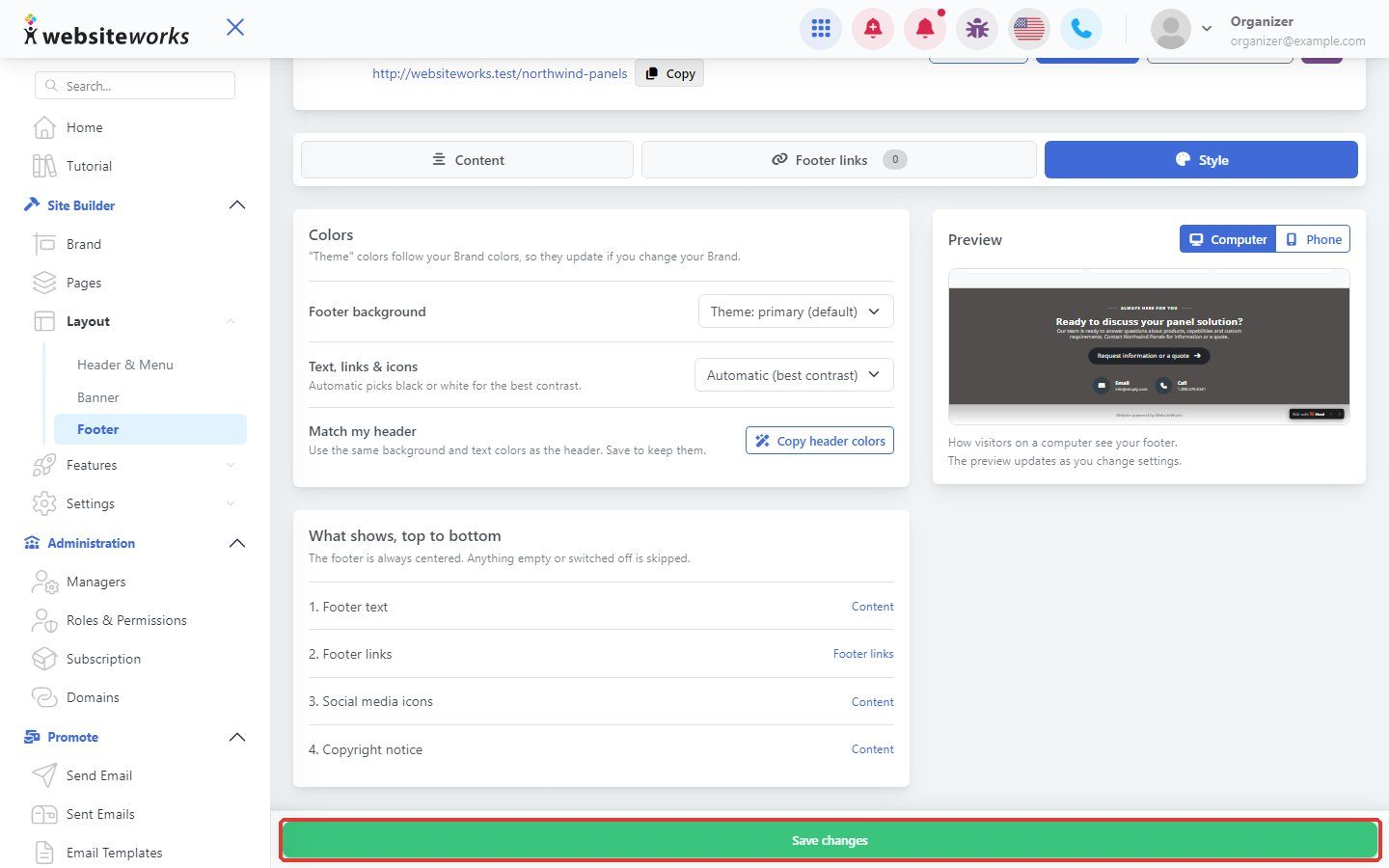

The footer is the area at the bottom of every page.
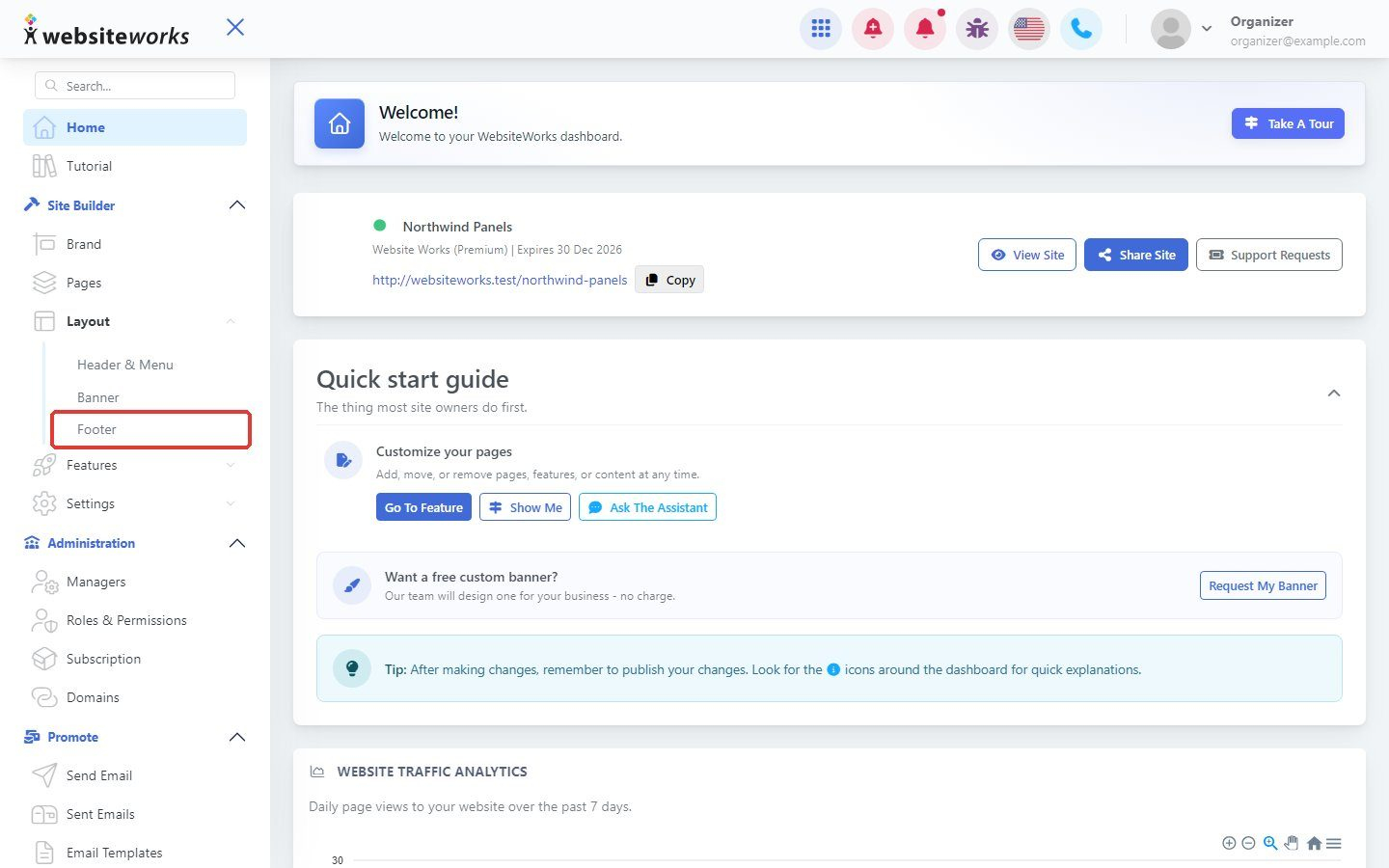
Step 1: Open Footer
In the menu, under Layout, click Footer.
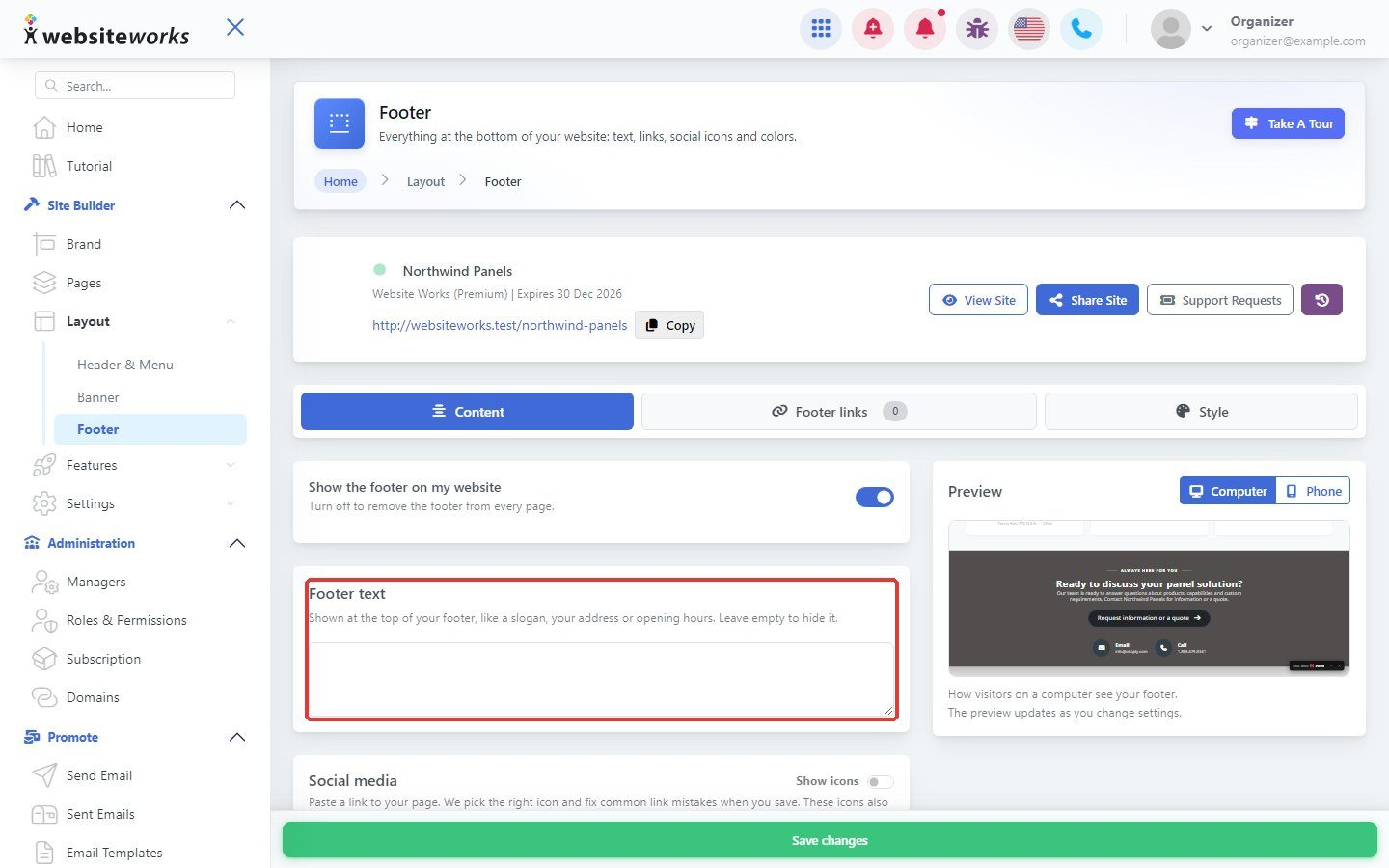
Step 2: Write your footer text
On the Content tab, type your Footer text, for example your address or opening hours.
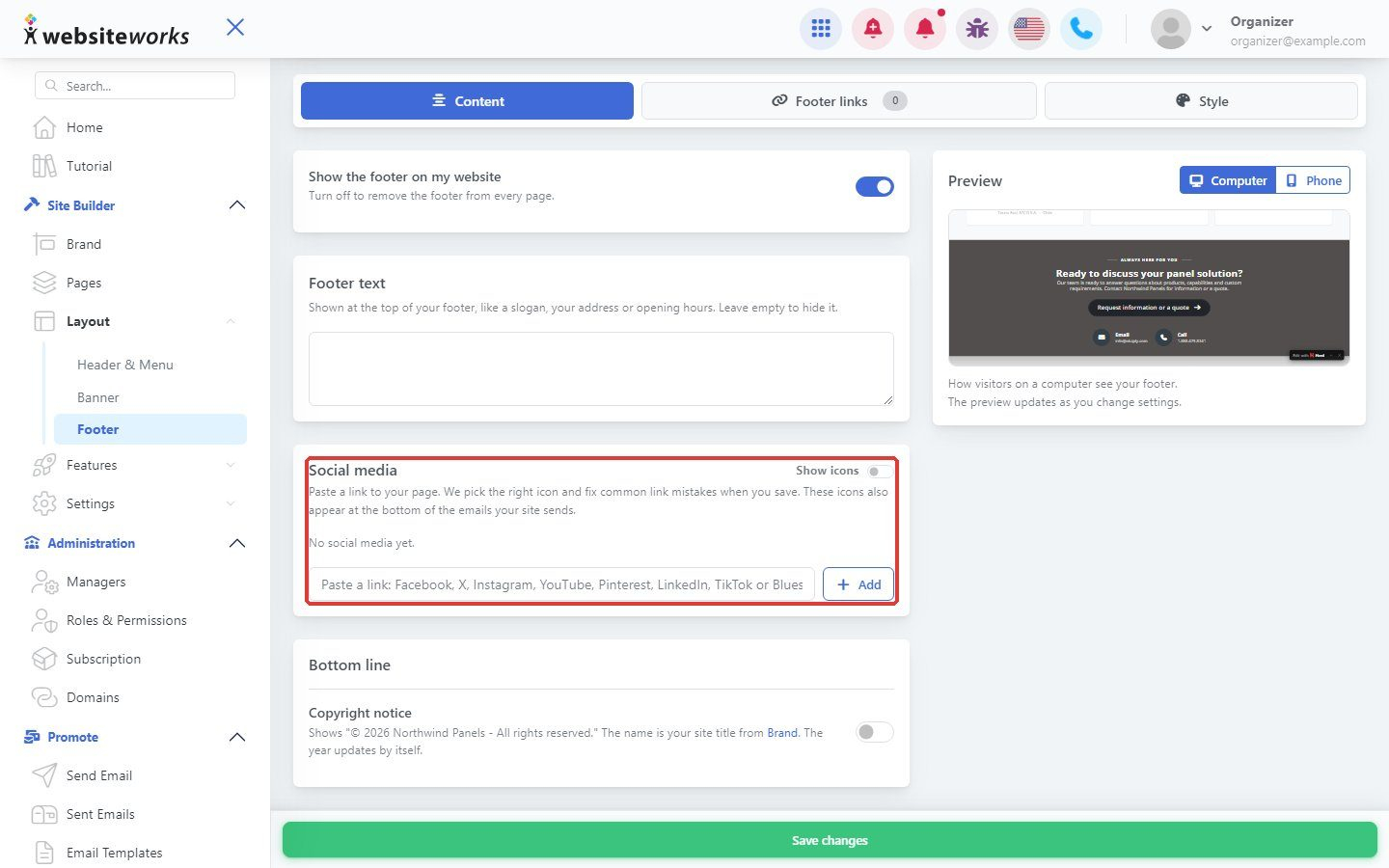
Step 3: Add social media links
Under Social media, paste a link to your page and click Add. Set your Copyright notice too.
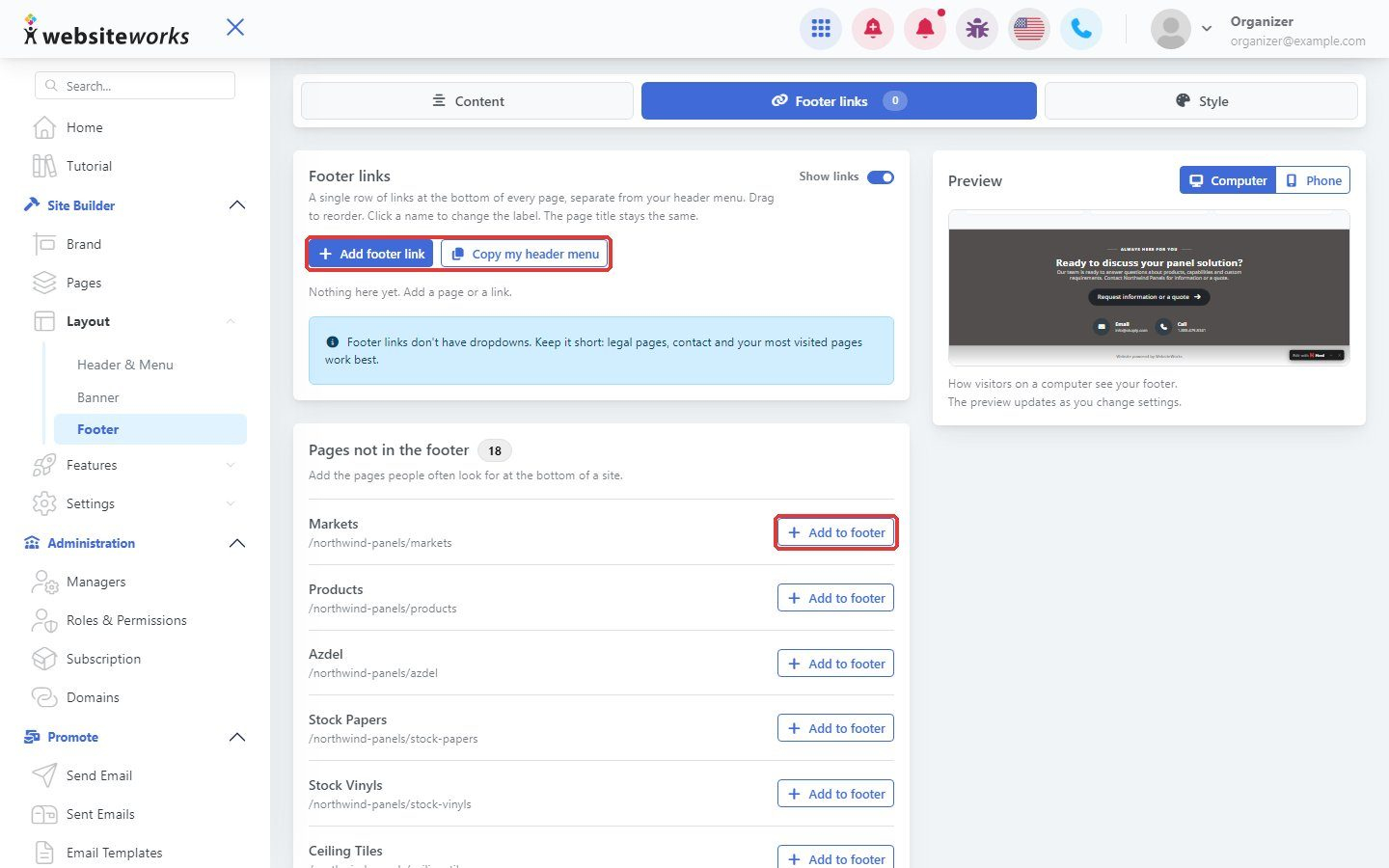
Step 4: Add footer links
On the Footer links tab, click Add footer link, or click Copy my header menu to reuse your menu.
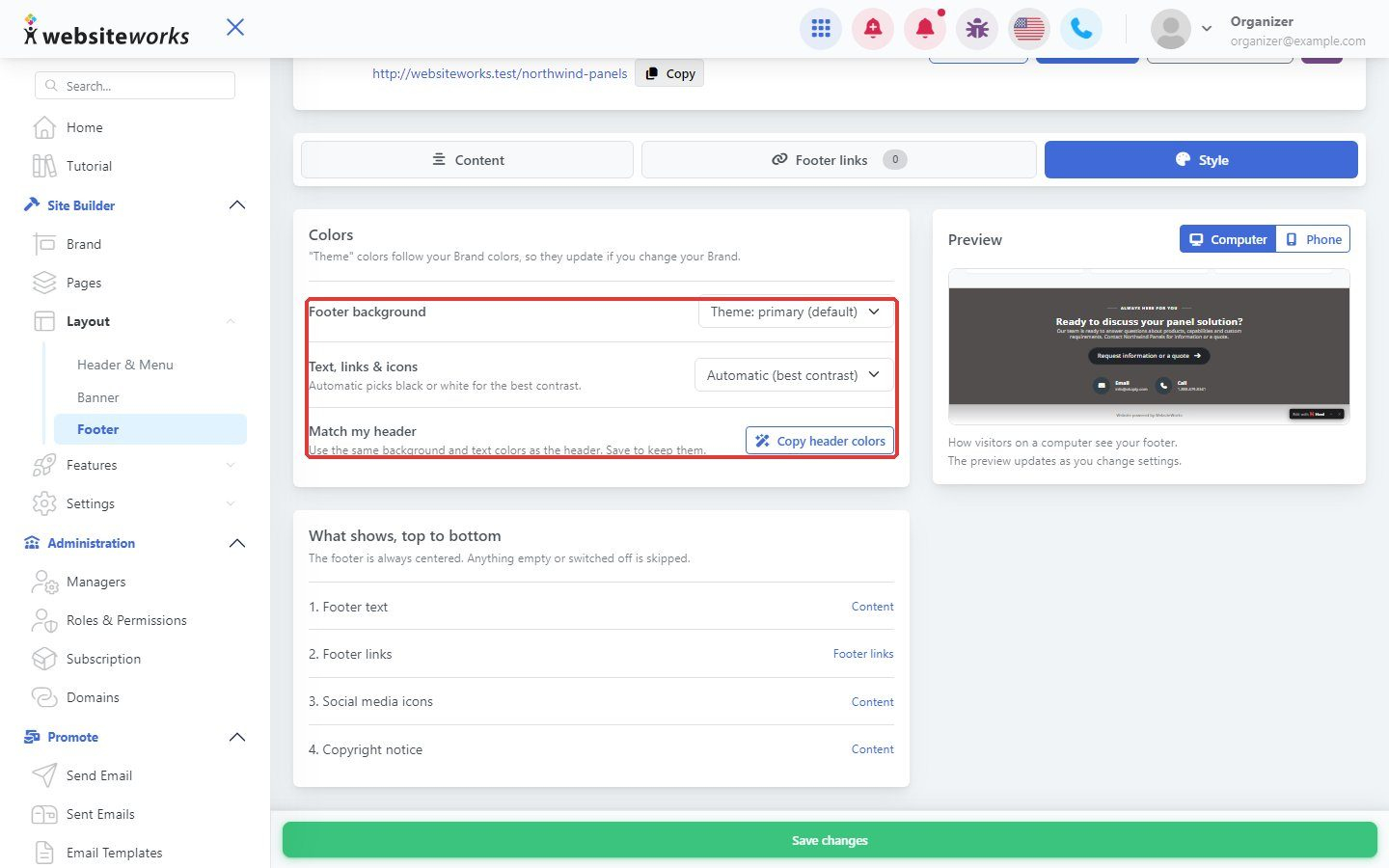
Step 5: Choose colors
On the Style tab, pick a Footer background, or click Copy header colors.
Step 6: Save changes
Click Save changes.