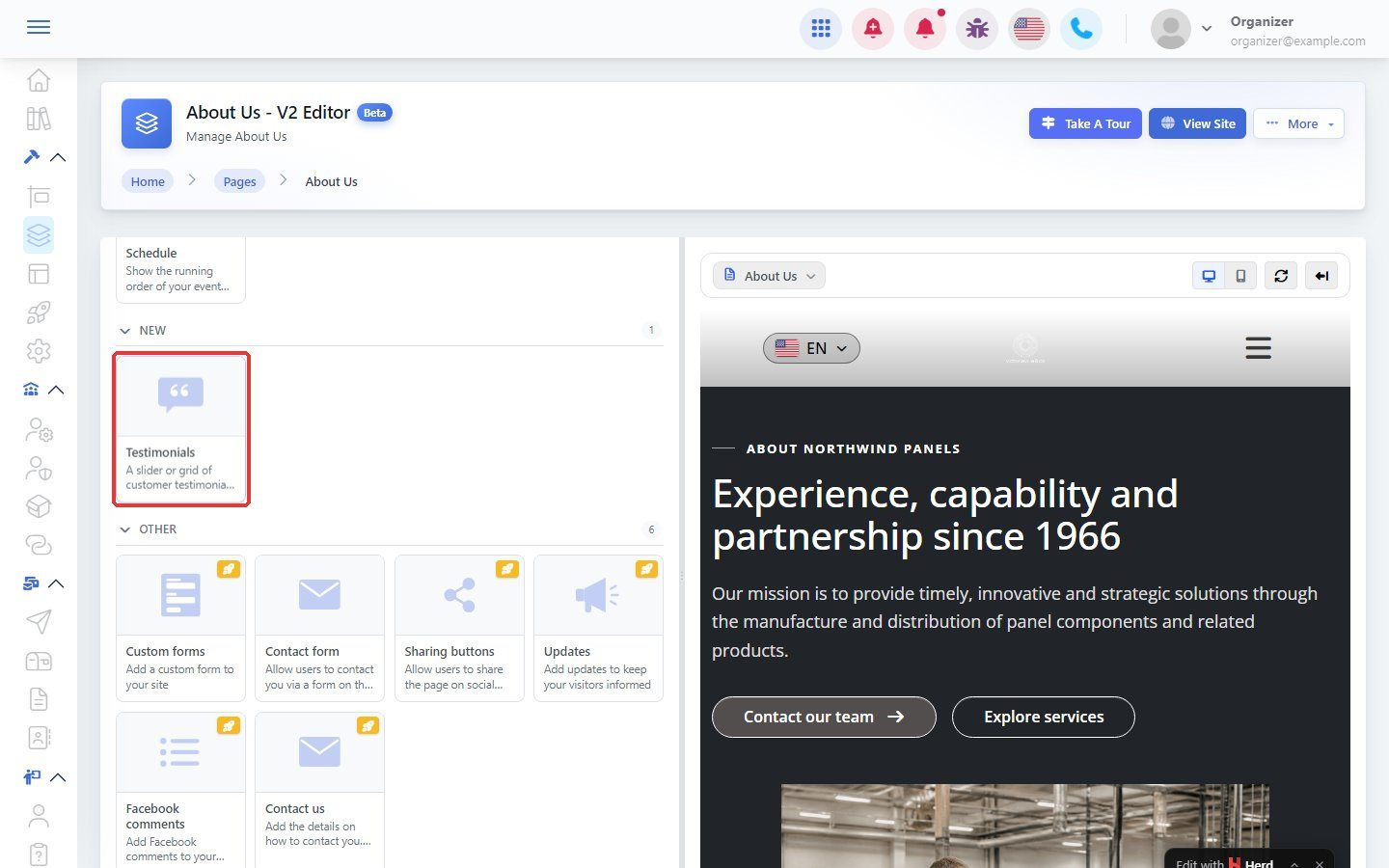

Testimonials are quotes from happy customers that build trust in your business.
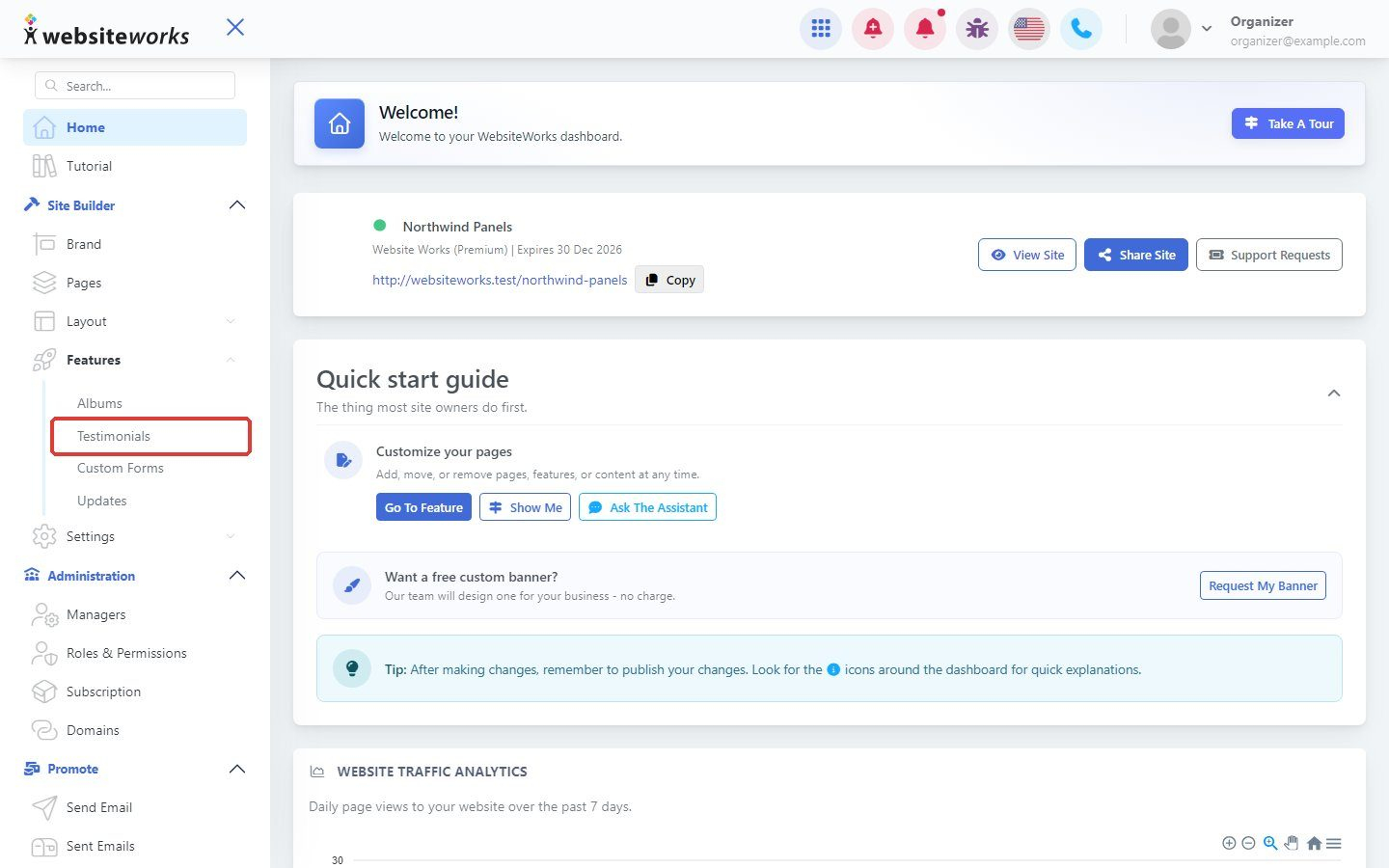
Step 1: Open Testimonials
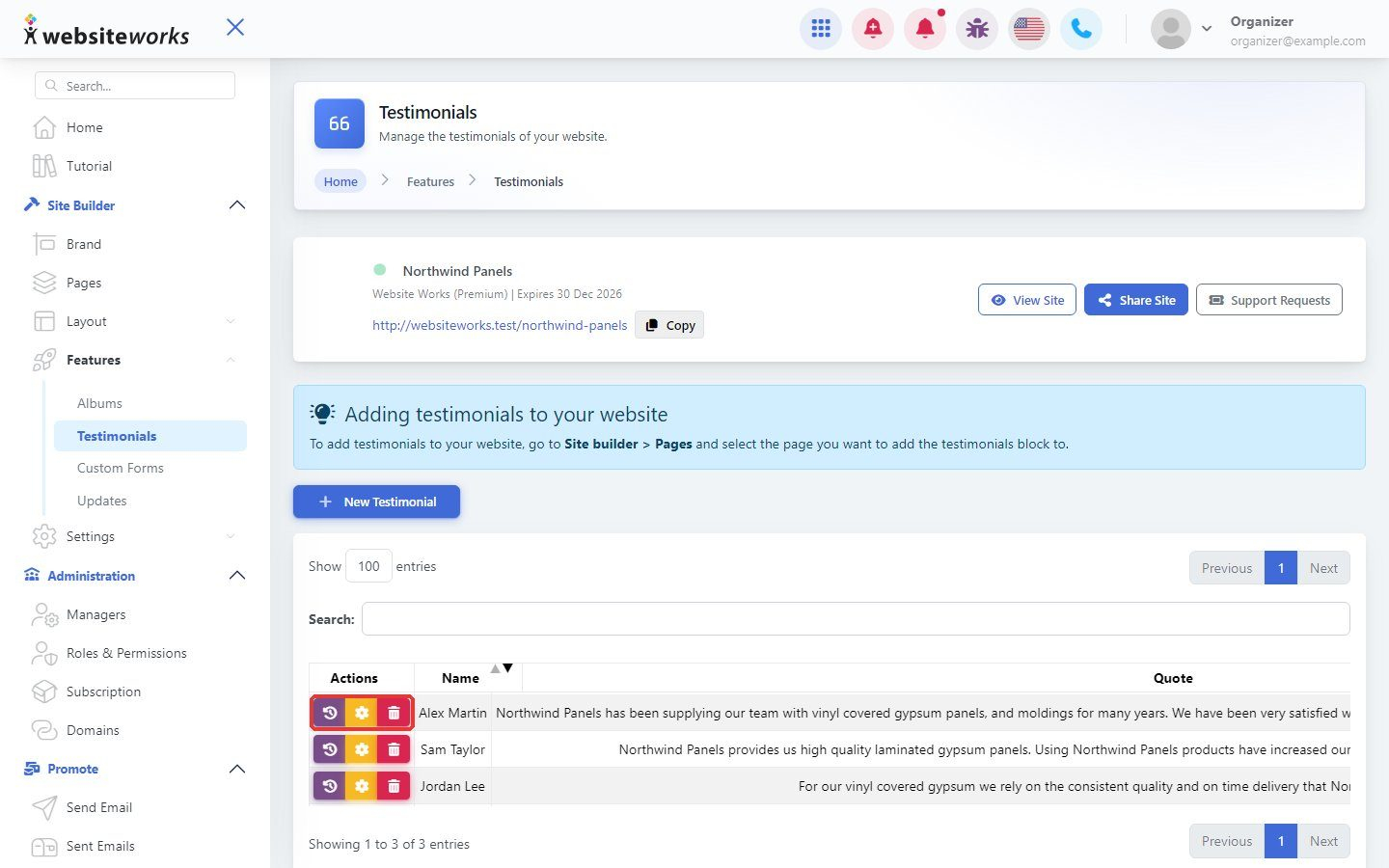
In the menu, under Features, click Testimonials.
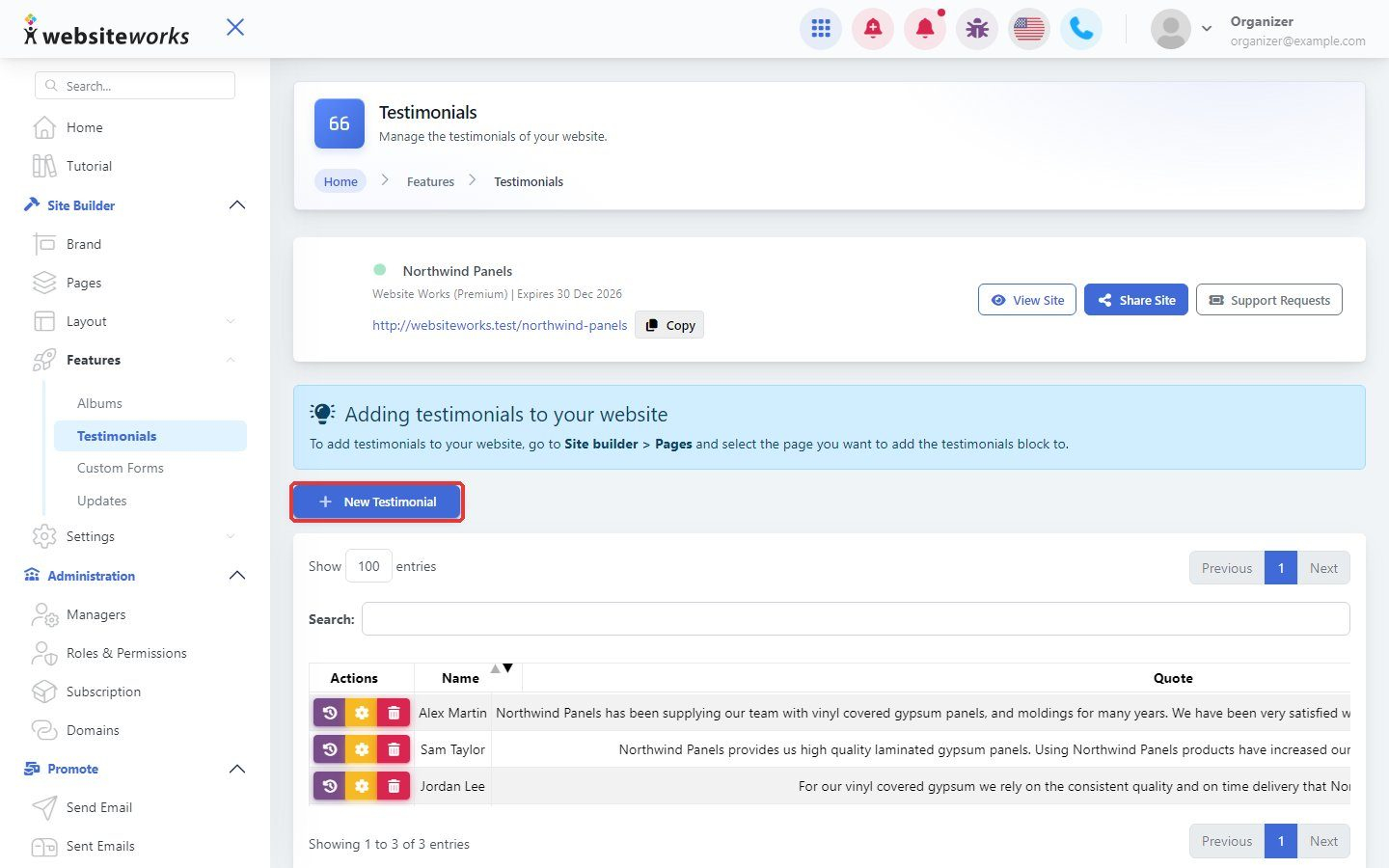
Step 2: Click New Testimonial
Click New Testimonial.
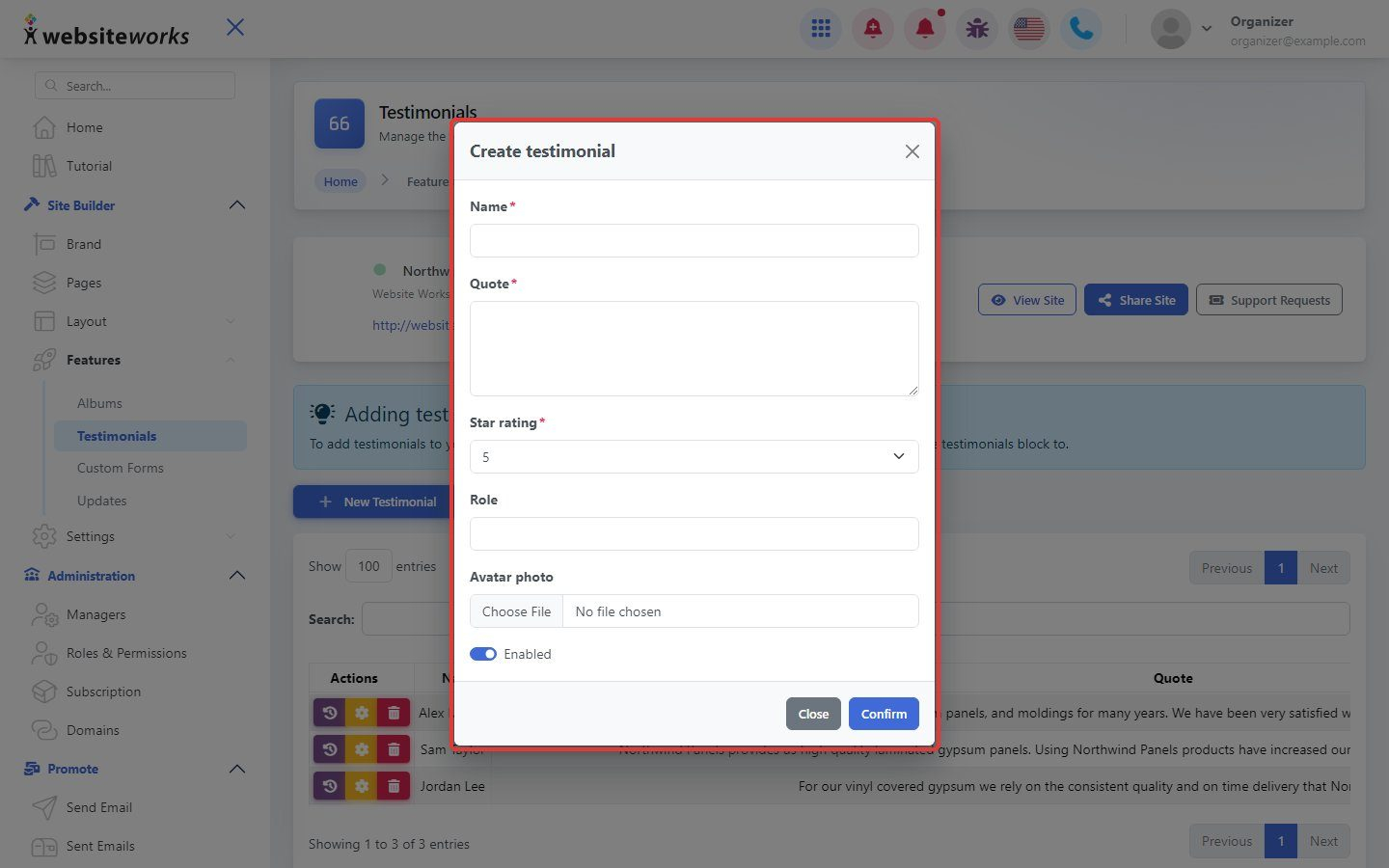
Step 3: Fill in the testimonial
In Create testimonial, enter the Name and Quote, choose a Star rating, and add a Role and Avatar photo if you have them. Leave Enabled on and click Confirm.
Step 4: Edit or remove testimonials
Use the buttons next to a testimonial to edit, disable or delete it.
Step 5: Show testimonials on a page
Open a page with New Editor, choose Manual Forms, click Add Block and add the testimonials block from the Features tab. Click Publish Changes.