

Have an idea that would make WebsiteWorks work better for you? You can send a suggestion to our team from your dashboard. We read every suggestion when planning improvements.
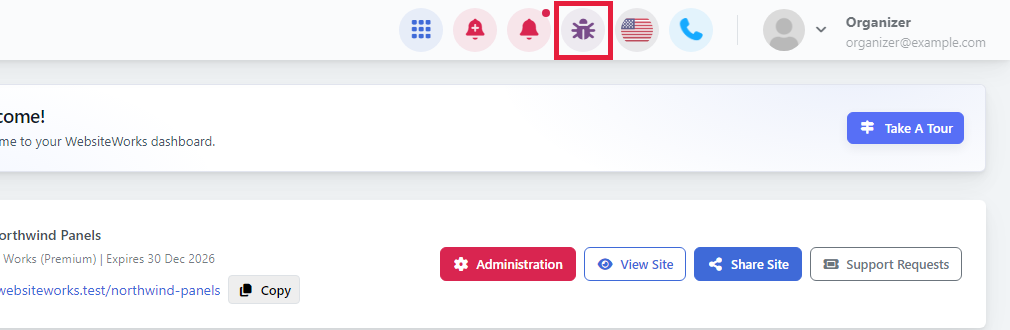
Step 1: Click the bug icon
In the top bar of your dashboard, click the bug icon (its tooltip says Send feedback). The same button is used for bug reports and suggestions.
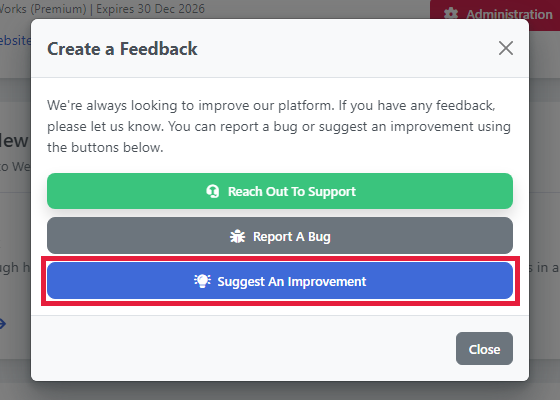
Step 2: Choose Suggest An Improvement
The Create a Feedback window opens. Click Suggest An Improvement.
Step 3: Give your suggestion a subject
In Suggestion subject, write a short title for your idea, for example "Let me duplicate a ticket type".
As you type, the form may show help articles that match your subject. Check them: the feature might already exist.
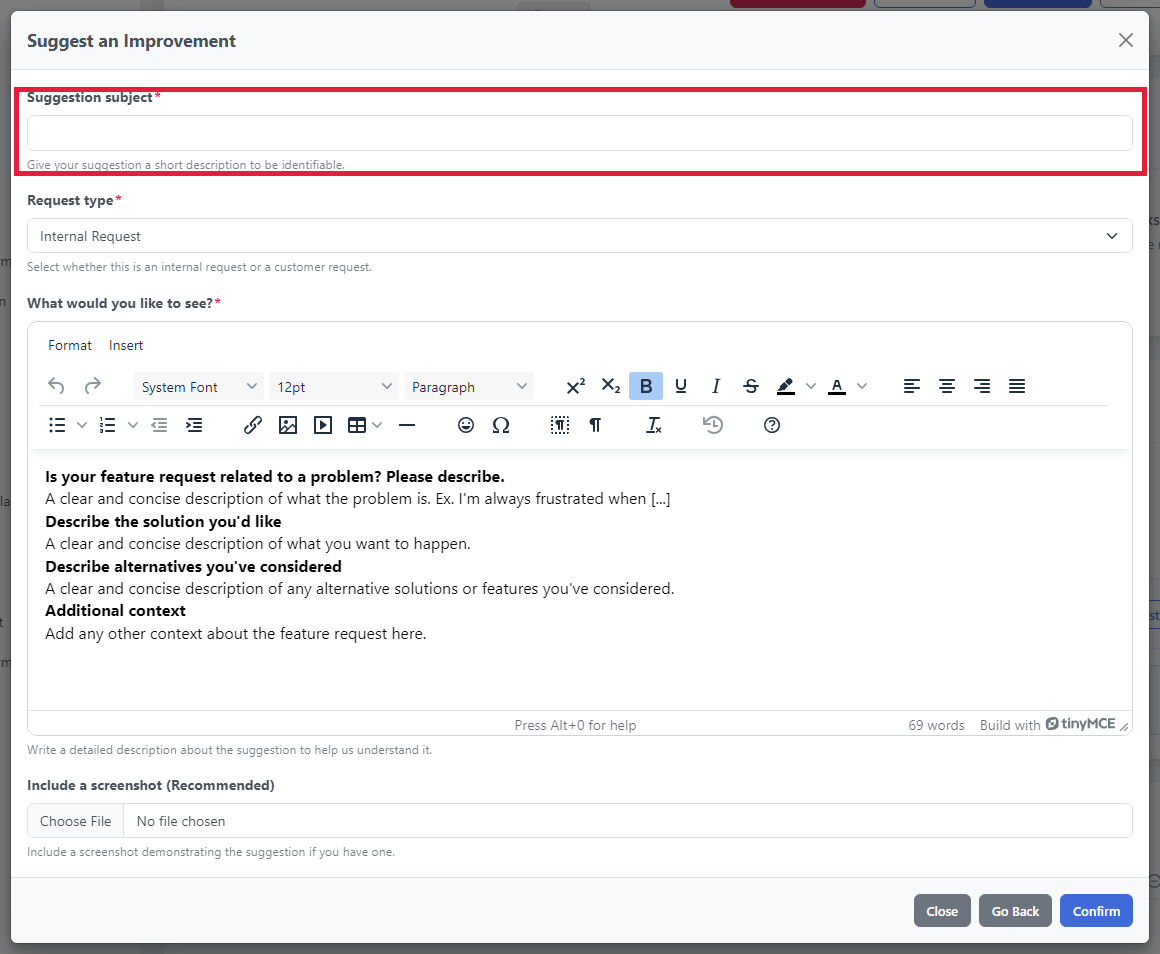
The form also shows a Request type menu. You can leave it as it is.
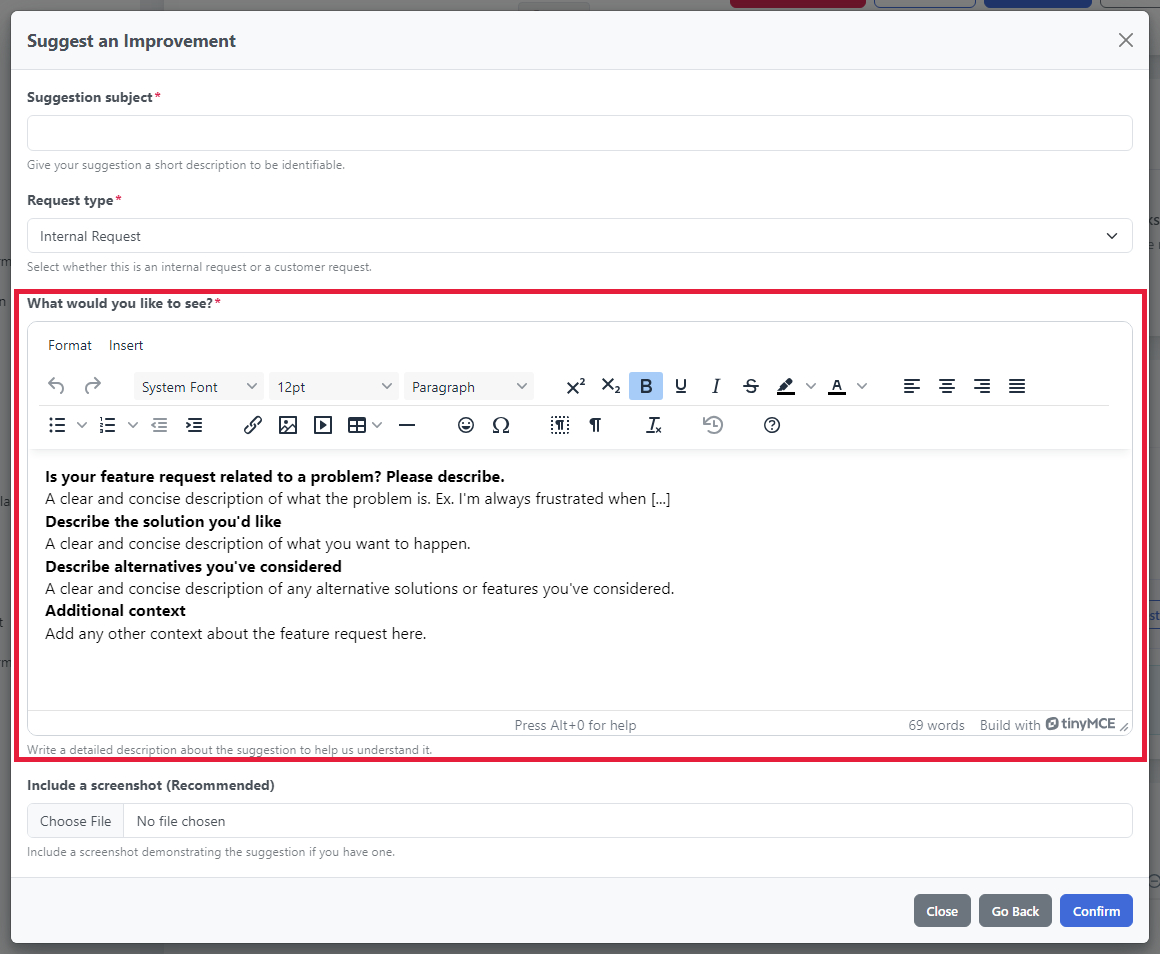
Step 4: Describe what you'd like to see
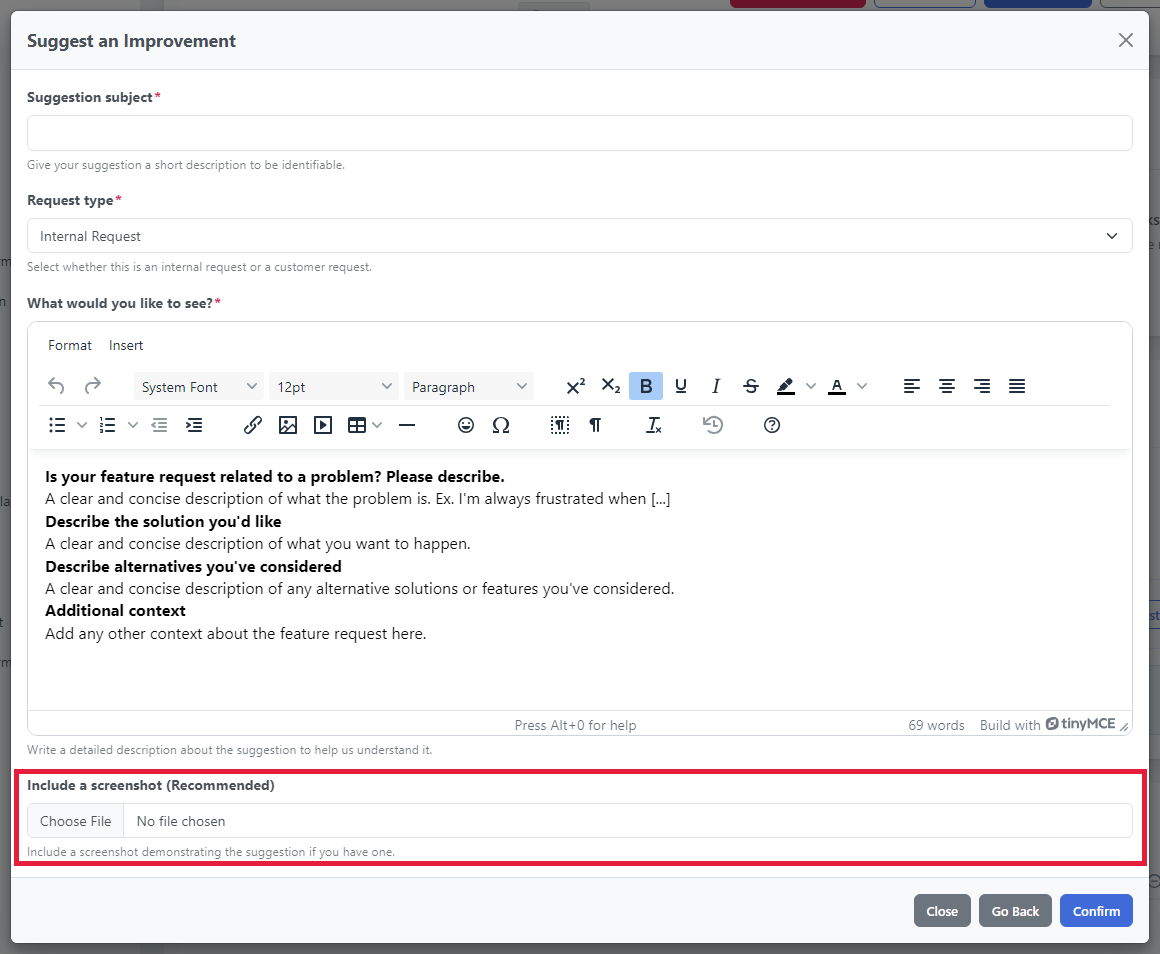
The What would you like to see? box already contains a short template. Replace the sample text under each heading:
- Is your feature request related to a problem? Please describe.: what's hard or missing today.
- Describe the solution you'd like: what you'd like to happen.
- Describe alternatives you've considered: other ways it could work, or what you do today instead.
- Additional context: anything else that might help.
Step 5: Add a screenshot (recommended)
Under Include a screenshot (Recommended), click Choose File to add an image of the page your idea is about, or a sketch of what you have in mind. This is optional, and the image can be up to 2 MB.
Step 6: Send your suggestion
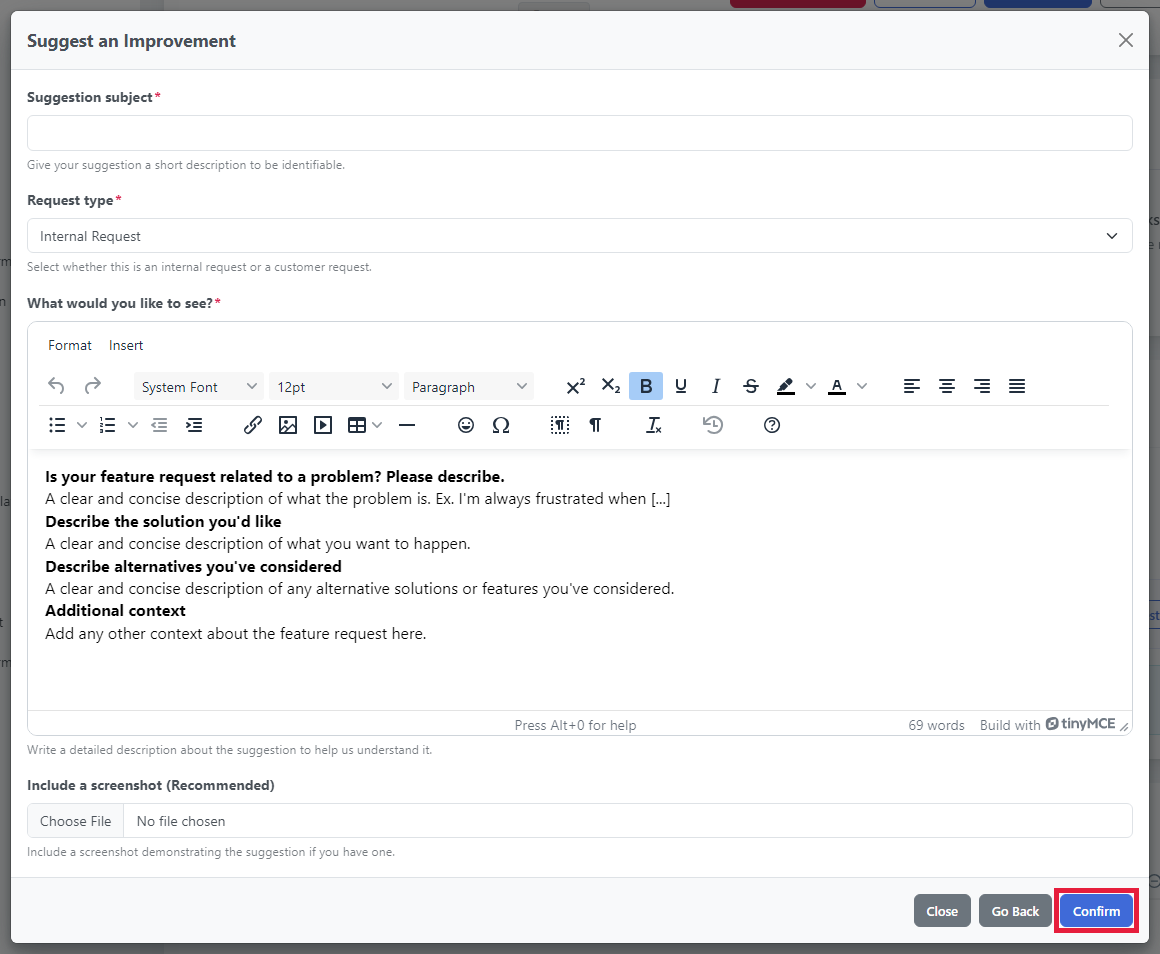
Click Confirm. You'll see the message Feedback created successfully.
Tips for a helpful suggestion
- Start with the problem. Telling us why you need something helps us find the best solution.
- Be specific. Name the page or feature your idea is about.
- Share an example. A screenshot or a link to something similar you've seen helps a lot.
- One idea per suggestion. Send separate suggestions for separate ideas.
Found a bug instead?
If something isn't working as it should, choose Report A Bug in the same window. See our article on reporting a bug for tips.